Search results for 'technology' (14)

Join Tristan as he shows you the basics of editing using VSDC. Check out Myfuture.net for more activities involving Media Making . In case you missed it, check out last week's blog about how to Make a Movie !

Join Tristan to brainstorm, expand on your ideas, write a short script or create a storyboard , then film all the footage you'll need! Next week, be sure to tune back in to learn about video editing.

Tristan is going to go over what a Storyboard is, why they're used, and how to make one! Website used: Storyboard That Some great examples: Harry Potter storyboard Inside Out storyboard

Grab an adult & join our Technology Staff, Tristan, to try the "cut-out" tools on the website pixlr.com to make your own art from multiple pictures.

Join Tristan as he goes over the basics of creating a podcast using the website Soundtrap !
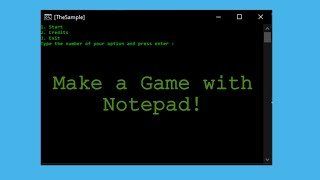
Learn how to make a text based game in Notepad the Tristan! HERE is the code that was use to make the game.

Join our Tristan on Scratch to create a bouncing ball game!

Grab an adult & join our Technology Staff, Tristan, to try editing your own photos using website pixlr.com and it's photo editor tools. - Send clips of your projects to wbgc.virtual@gmail.com for a chance to be featured in our Virtual Learning Blog!

Grab an adult & join our Technology Staff, Tristan, to try your hand at producing your own song using the website SoundTrap - Send clips of your projects to wbgc.virtual@gmail.com for a chance to be featured in our Virtual Learning Blog!

Join our Technology Staff, Tristan, as he shows us the basics on how to animate in Piskel - try it out yourself, with parental consent, HERE . Need to brush up on Piskel? Checkout Tristan's other tutorials . Share your animations with us at wbgc.virtual@gmail.com for a chance to be featured in another post!

Our Technology Staff, Tristan is going to show us the basics on how to make pixel art using the website piskelapp.com ! Be sure to have adult supervision before you try anything at home. Send pictures of your Pixel Art to wbgc.virtual@gmail.com for a chance to be featured in another post!

Our Technology Staff, Tristan, wants to show you how you can create your own typing challenge at home using the websites like ( TypingTest or NitroType ). Challenge your relatives at home to take the challenge & see who can get the best scores! Please be sure to check with a parent or guardian before trying anything at home.

Join Tristan, our Technology Staff, as he goes over a few of the basic elements of the FREE online program from MIT - "Scratch." The program allows you to create stories, games & animations to share with others around the world! Please be sure to check with an adult before trying anything at home. Visit https://scratch.mit.edu/ to try it out yourself & submit your Scratch masterpieces to wbgc.virtual@gmail.com for a chance to be featured in a later post!

Take a quick look at stop motion with our Technology Staff, Tristan, as he gives us a brief description of stop motion and shows us the basics of using the program "Stop Motion Studio." Please be sure to check with a parent or guardian before trying anything at home. Submit your own stop motion projects to wbgc.virtual@gmail.com for a chance to be featured in another video!